
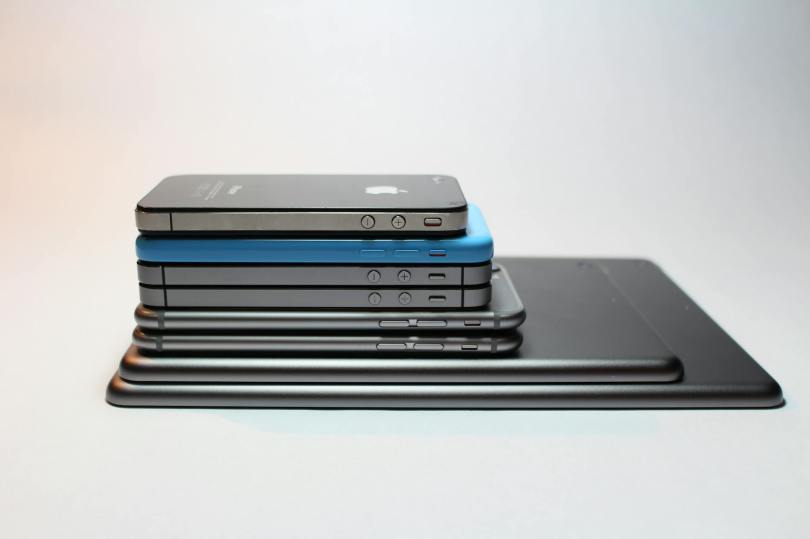
I know Apple devices have a reputation as being premium/pricey devices and so seeing “iPhone” and “cheapskate” in the same sentence is probably controversial, but if you’re a long time owner of Apple devices (4 Mac computers1, 2 iPads, 2 iPhones, one old iPod still ticking), there is a strong ecosystem factor that makes it hard to break free2. Addtionally, the hardware3 is really quite rock solid (if nearly impossible to repair nowadays), so you do get a bit of longevity when you spring for an iDevice.
But let me share with you a new thing I discovered yesterday that may save you from an upgrade that isn’t necessary.
I’ve been struggling with “out of storage” warnings on my iPhone4 for a number of months now. Every time I got one, I checked for the usual culprits:
- Too many photos/videos on my phone. I try to keep the number very small (often zero) since I use Google Photos to back up any image to the Google cloud. No need for local copies, since I can grab them on demand from the cloud5.
- Too many photos/videos sent via messaging apps (and I use a bunch: Messenger, WhatsApp, Messages, Slack)
- Too many downloaded podcasts (listening to podcasts while on road trips or runs is a favorite habit of mine; the offerings of Pushkin are generally very high quality)
- Too many apps that I used once and then moved on from
And after going through the list, I would normally clear up enough space to quiet the warnings for a while. The last time I got one, i got a little infuriated and deleted 95% of the music I keep on my iPhone because I don’t listen to music on it all that often.
But less than 2 weeks after the extreme purge, I got yet another “storage low” warning. I was a bit exasperated at this…what’s the point of having a phone if I’m spending hours every week reducing its capabilities? No photos, no music, no podcasts? No way!
So I took a much closer look at the “storage” report on the iPhone, and it looked something like this6:
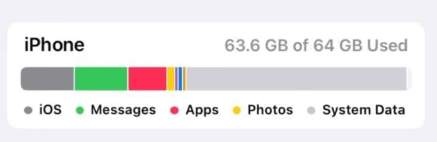
“System Data”, the light grey bar (not to be confused with iOS, the dark grey bar) had grown to take up an ENORMOUS amount (~30GB) of data on my phone. What, exactly is “System Data”, you may ask?
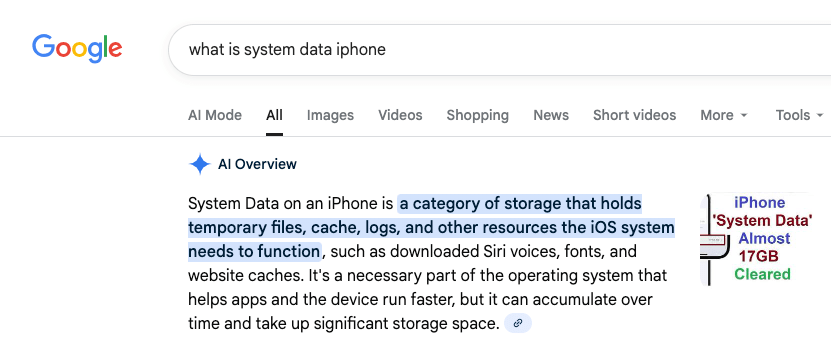
That, it would seem, is a rather accurate description. Once I determined that this stuff was probably expendable, I set out researching how to get rid of it. I’ll save you sifting through dozens of bad videos and terrible advice and cut to the chase. Here’s what my iPhone storage looks like this morning:
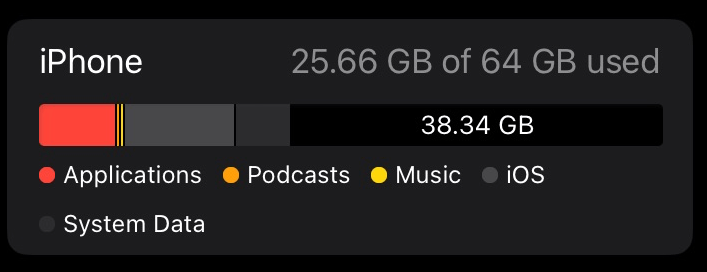
You’re seeing that right — 38GB free, up from 1GB free. “System Data” reduced from around 30GB to 5.75GB. So what did I do?
Rather than spend hours trialing and erroring deleting apps and re-installing them, I went nuclear. I backed up the phone to iCloud and completely erased it7, then restored it. This is an extreme measure that isn’t for everyone but the results are quite clear.
Here’s a non-exhaustive list of why you should be very careful before doing this to prevent loss of data — don’t say I didn’t warn you!
- you don’t back up your photos/videos anywhere
- you haven’t backed up your iPhone to iCloud
- you don’t have your music backed up somewhere (if purchased in iTunes, all can be re-downloaded; if synced from a computer, that can be redone)
Anyway, for me, having migrated phones more than once, I was pretty confident I wouldn’t have much in the way of downsides in doing this. Some things you have to re-do
- rescan your fingerprint for TouchID
- retrain Siri to respond to your voice
- Re-enter your payment cards for Apple Pay
- Re-authenticate into some/all of applications that require it
- Resync your music
Anyway, all this to say that before you think you need to upgrade your phone because you’re out of space, maybe take a closer look…
- One running Linux MX because it’s over 10 years old, one gifted to me from Wealthsimple, one in the upstairs office that I should probably sell, and one that I’m typing this from (another ancient laptop with a “battery” in name only that should probably get the Linux MX or Chrome OS treatment at some point). ↩︎
- Most lately, Apple’s Passwords app is so so good ↩︎
- The collection of still-functioning and largely functional hardware is a testament to that. ↩︎
- A 64GB iPhone SE gen 3, if you’re wondering. Yes, it’s old. I’m a cheapskate, remember? ↩︎
- Of course my free Google storage is beginning to get squeezed, but a small time investment can usually generate pretty big gains; a lot of what I take pictures of nowadays is stuff I’m trying to get rid of. ↩︎
- Not from my phone, just a nice image with the correct attributes I found; enormous System Data contribution, and less than 1GB of free space on my phone. ↩︎
- Except for my Airolo eSIMs, that was something iOS offered to keep around after selecting “Erase Content and Settings”. ↩︎

 The Money Engineer